How to Buy Into Crypto: A Beginner’s Walk Through the Noise
What Crypto Is Before You Buy
I’ve often heard the same anxious question from friends: how to buy into crypto without losing their shirt. I’m no finance professional - just someone who read a few guides and wanted to lay the path out plainly. Crypto is a digital asset that uses cryptography for safety. It isn’t printed by a government like dollars or euros. Instead, it runs on decentralized networks called blockchain. That blockchain is simply a shared ledger that records every move, and once written, it stays. When you make a crypto purchase, the tokens land in a wallet - a tool for storing and sending. Bitcoin was the first, often called digital gold. Everything else is an altcoin, like Ethereum or Polygon. I care about this because understanding the base words cuts the fear. You don’t need a degree to get it. Just know that owning crypto means owning a line in that ledger, not a coin in your hand.
Words You’ll Hear
- Blockchain: a public record of trades across many computers.
- Wallet: where your coins sit after you buy them.
- Seed phrase: 12 or 24 words that guard your wallet key.
- Private key: the secret code that moves your funds.
Unlike traditional currencies issued by governments, digital currencies operate on decentralized networks.
Picking a Wallet for Your First Crypto
The first real step in how to buy into crypto is choosing where to keep it. I see two big forks: custodial and non-custodial. With a non-custodial wallet, you hold the private key and control the coins yourself. That means you answer for safety. A custodial wallet is run by a company that holds the assets, kind of like a bank. If that firm fails or acts badly, your coins could vanish. For investing into crypto for beginners, this choice matters more than fancy features. Software and mobile wallets give easy access. Hardware wallets are physical and better for long storage. I’d say start by asking what you need: ease or control. The EVM world has self-custody picks like MetaMask or Trust Wallet, while Coinbase or Binance offer custodial too. Wirex gives an in-app wallet so you don’t need a separate one. Think of the wallet as your front door, so pick a lock you can manage.
Wallet Questions to Answer
- Do you want self-custody or a company holding it?
- Which type fits: software, mobile, or hardware?
- Which specific wallet has good reviews and fits your assets?
- Can you move coins later to another wallet if you change your mind?
Some folks keep coins on a well-established exchange because automatic recurring buys matter to them. I read one person say they weren’t worried as long as their brokerage security was okay. Cold wallets can feel techy and hard, so don’t force it if you’re not ready. The point is to begin, not to be perfect. A small first step with an app wallet teaches you the ropes. Then you can move to stronger storage once you see how it works. I did that in my own learning, and it kept the panic low.
Custodial vs Self-Custody Wallets
Let me be clear about the trade-off. Self-custody means you own the keys, so you own the coins. No one can freeze them. But if you lose the seed phrase, they’re gone for good. Custodial means the platform signs for you, which is handy but adds risk of hacks or legal trouble at the company. I think for a small first buy, either works if you learn the downsides. Many users pick self-custody later after they get comfy. You can transfer from custodial to self-custody when ready. That flexibility is nice. And remember, a custodial app might shut down, so don’t treat it like a vault. Your keys, your coins, as they say.
I keep crypto on a well-established exchange because the ability to make automatic recurring purchases was the most important feature for me.
That quote from a reader shows the convenience side. Another said exchanges seem risky but cold wallets seem technically challenging. I get that. Start where you feel safe, then learn. The noise about which is “right” misses the point: both have a role. I use a mix depending on the coin and the amount.
Keeping Your Wallet Safe
Security is the part you can’t skip. When you set up a self-custody wallet, it will show a seed phrase of 12 or 24 words. Write it on paper, not on your phone or any internet device. Never share it. If someone gets it, they take your coins. Private keys are the underlying code; public keys are like your address to receive funds. Some wallets use Multi-Party Computation to split the signing so no one sees the full key. For any account, use a strong password, turn on two-factor auth (2FA) with an app, and biometrics if on mobile. Text or email codes can be spoofed, so use an authenticator. Platforms like Wirex and Topper make you do KYC identity checks before buying. That’s a pain but normal. I treat security like locking my front door, not optional.
Security Basics
- Save seed phrase offline and never digitize it.
- Enable 2FA with a third-party app, not SMS.
- Use biometrics like face or fingerprint on phone.
- Check that custodial apps have monitoring and KYC.
Don’t skip this part: forgetting security is the fastest way to lose money. I’d rather spend ten minutes setting up right than cry later. A friend of mine lost access because he stored the phrase in email. Don’t be that person. The source warns that custodial wallets face web threats too, so pick ones with real controls. Your calm mind starts with good habits.
Platforms to Buy Crypto
Now to the actual how to buy into crypto step. You need a fiat-to-crypto ramp, which links your normal money to coins. Sources can be bank, debit card, credit card, wire, or PayPal. Each platform has its own rules and region limits. Regulated apps will ask for KYC. Wirex has an Exchange feature to buy, sell, convert. Nash has a ramp registered in Liechtenstein and Netherlands. Topper by Uphold supports 250+ assets and pays with cards or Apple Pay. OwlPay added a credit card on-ramp for USDC on several blockchains. When you’re looking at most trusted crypto apps, check where they are licensed and what users say. For folks in the UK, the best crypto app in uk might be one with local fiat support and clear fees. I can’t pick for you, but I’d weigh ease and safety. A good ramp feels like a bridge, not a trap.
Common On-Ramps
- Wirex Exchange: buy and convert inside the app wallet.
- Nash Ramp: fast bank transfers in Europe, self-custody wallet.
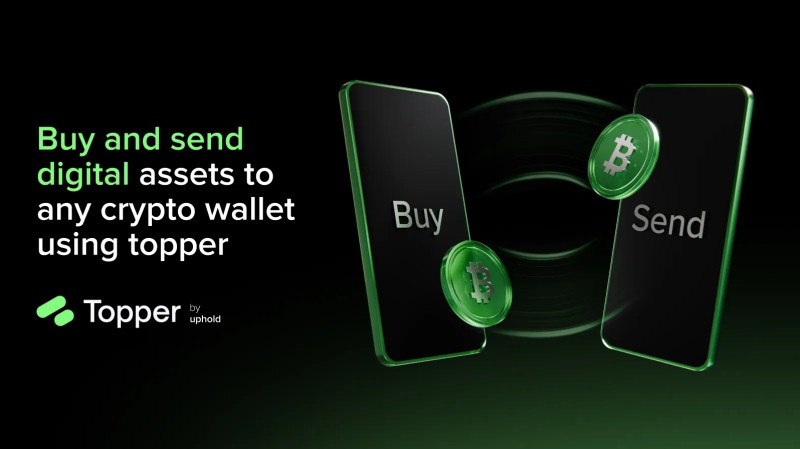
- Topper: cards, Apple Pay, Google Pay, 250+ assets.
- OwlPay: credit card buys of USDC on major chains.
You might wonder whether you can buy crypto on Stash or whether you can buy crypto on Acorns . Those are investing apps; the source didn’t cover them, but the idea is similar: link funds and pick an asset. Always check if the app allows direct crypto purchase or just crypto funds. And if you want to buy crypto with a prepaid Visa , some ramps take debit or prepaid cards, though acceptance varies. I’d test small first. The crypto purchase should feel controlled, not rushed.
How to Buy With Wirex
Let’s walk the Wirex steps since it’s straightforward. Log in, pick the account to exchange from, click EXCHANGE. In FROM, choose fiat or crypto account. In TO, choose the target like BTC. Enter amount, hit USE MAXIMUM or MAX if you want all. Click EXCHANGE, review, CONFIRM. The crypto appears in your in-app wallet after the trade clears. Important: all confirmed buys are final, no undo. I like that they keep it simple, but that finality is real. A crypto purchase there is quick, but double-check the TO field so you don’t buy the wrong ticker. I once almost swapped to a similar symbol and caught it just in time. Slow down at that screen.
Wirex Buy Steps
- Log in and select source account.
- Click EXCHANGE and set FROM and TO.
- Enter amount or use MAX, then review fees.
- Confirm and wait for balance update.
Buying Via Nash Ramp
Nash works a bit different. You connect an external fiat account like bank or card through in-app prompts, pass KYC, then link funds. Then select token, input amount in fiat, review quote, click Buy. Coins show in your self-custody Nash Wallet, and you can view on a block explorer. Nash is registered in Liechtenstein and Netherlands, and uses MPC plus address whitelisting. That’s solid for safety. I’d say if you’re in Europe and want self-custody, it’s a clear path. The crypto currency app download for Nash is on usual stores; just get the official one. Fake apps are a real trap, so check the maker name twice.
Nash Flow
- Connect fiat source and verify identity.
- Pick token and amount, check quote.
- Buy and see tokens in non-custodial wallet.
- Confirm on block explorer for peace of mind.
Using Topper to Get Crypto
Topper is Uphold’s on-ramp. You set up a free account, do first-time KYC with address and phone. Then pick from over 250 assets like XRP, BTC, ETH, USDC. Add your wallet address (Ledger, MetaMask, etc). Pay with credit/debit, Apple Pay, or Google Pay. Debit often gets higher approval. Submit, and coins usually arrive in a minute or less. That speed is handy. I’d still send to your own wallet rather than leave on the ramp. For how to invest safely in cryptocurrency , using a self-custody wallet as destination is a smart move. Don’t let the ease make you lazy about keys.
Topper Steps
- Create account and finish KYC.
- Choose coin and amount.
- Enter external wallet address.
- Pay and wait for quick delivery.
OwlPay Credit Card Buys
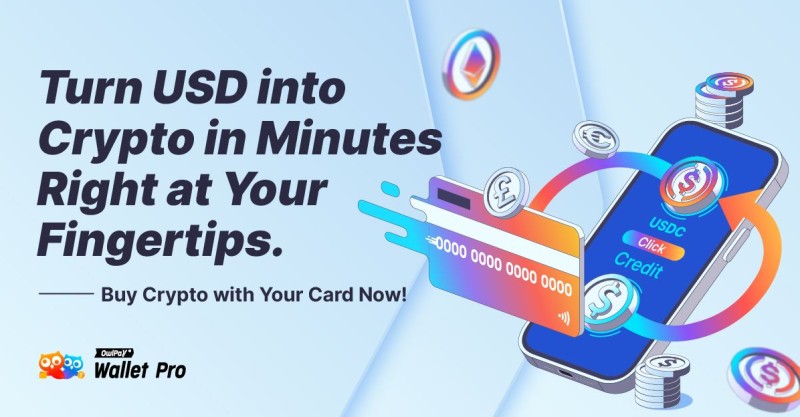
OwlPay Wallet Pro lets you use a credit card to buy USDC on chains like Stellar, Ethereum, Polygon, Avalanche, Arbitrum, Optimism. It’s instant, no bank transfer needed. If your card is declined, they support wire or cash. The app has built-in KYC. I see this as a fast option for stablecoin, not a full exchange. If you want to buy crypto with a prepaid Visa , check if OwlPay or others accept it; prepaid often works like debit. Just watch fees. A quick buy can be tempting, but still confirm the chain matches your wallet.
Assets You Can Buy
The list of coins is long. Wirex says 150+ assets to hold and swap. Topper has 250+ including XRP, BTC, ETH, XLM, HBAR, USDC, USDT. OwlPay focuses on USDC on supported chains. Nash connects via WalletConnect to thousands of tokens in the EVM world. General altcoins include ETH, MATIC, AVAX. When starting, I’d stick to big names like Bitcoin or Ethereum to learn the ropes. A crypto purchase of a small altcoin can be okay later. Don’t chase a weird ticker just because it pumped. The source notes that tickers look similar, so read the name, not just the symbol.
Sample Assets
- Bitcoin (BTC): the first and most known.
- Ethereum (ETH): smart contract platform coin.
- Polygon (MATIC): an altcoin for scaling.
- USDC: a stablecoin tied to dollars.
Price Swings You Should Expect
Bitcoin and altcoins move hard. In past market cycles, Bitcoin has been in the $40,000s, then dropped under $20,000, and later climbed past $90,000. That’s not a forecast, just how wild it gets. A small slice can swell or shrink fast. I mention this so you don’t panic when charts wobble. The annualized return has been uneven; some years it dragged a portfolio, other years it boosted. A 2% spot keeps the sting small. When you do a crypto purchase , assume the price will jump or fall before you blink. Volatility is the name of the game, not a bug.
Beginner Mistakes to Skip
I’ve seen the same goofs repeat. Buying the wrong asset because tickers look alike, like BTC vs some fake. Using MAX without checking fees and ending with less than thought. Forgetting that confirmed trades are final, so no chargeback. Ignoring security: skip 2FA and get robbed. Starting with too much money; crypto is volatile, so start small. The source also warns not saving seed phrase, sharing keys, using custodial without knowing risk. I’ll say it plain: take your time. A calm crypto purchase beats a panic one. I made a small mistake early by not enabling 2FA right away, and I fixed it fast. Learn from that.
Mistakes to Avoid
- Confirm the TO field so you buy the right coin.
- Review fees before hitting MAX.
- Accept that confirmed buys can't reverse.
- Enable 2FA and biometric login always.
Starting with too much - crypto volatile, start small, scale up.
Another reader noted exchanges feel risky but cold wallets feel hard. That’s why a middle step like an in-app wallet can help you learn. Don’t let fear stop you, just stay small. The noise about “getting rich” is empty; slow steps build real skill.
Storing Your Crypto After Purchase
After you buy, where do coins sit? Wirex keeps them in-app. Nash gives self-custody, only you access. Topper sends to your chosen wallet. Some keep coins on exchange for recurring buys, others move to cold storage. I think it’s personal. One commenter said they may transfer later when needed. The key is you know the trade-off. If you hold a lot, a hardware wallet is safer. If you trade often, an exchange is easier. Just don’t leave huge sums on a custodial app with weak security. I rotate my coins to self-custody as the pile grows.
Exchanges seem risky, but cold wallets seem technically challenging.
That feeling is normal. I’d suggest learning the seed phrase first, then move to self-custody when ready. No rush. A crypto purchase is just step one; storage is step two that many skip.
A Simple Allocation Idea
A personal finance column shared a calm plan I liked. They kept 98% in stock index funds and 2% in crypto. The 1%-5% range is a sweet spot for volatility. Going from 2% to 5% adds real risk. They rebalance each year with new money, and for crypto they act when it hits lower or upper bands (like 1.6% and 2.5%). Gains from selling crypto buy more stocks. This isn’t advice, just one person’s written plan. I find it useful because it takes emotion out. If you’re investing into crypto for beginners , a small fixed slice beats guessing. Write your own numbers on a sheet so you don’t overtrade.
Sample Allocation Rules
- Start with 1-2% of total portfolio in crypto.
- Set written thresholds to buy or sell.
- Use new cash to buy, not loans.
- Rebalance with a spreadsheet flag for ease.
Making Money After You Buy
Once you hold coins, two main paths to get fiat out. One: borrow against a portion without selling, using crypto as collateral for a loan to buy cash-flow assets. Size the loan safe, keep cash flow covering interest. Centralized lenders offer custodians; decentralized protocols use smart contracts. Two: sell a slice after price gains, no leverage. Set sell bands, use limit orders, take some off table. Both have trade-offs like tax or collateral risk. I’d lean to small sells to avoid debt. The source pic shows this well. A calm plan beats chasing loans. I keep my borrow small if I do it at all.

Paths to Fiat
- Borrow against coins to fund other buys.
- Sell a fraction after set gain percentages.
- Use conservative loan-to-value if borrowing.
- Document plan and thresholds on paper.
What to Know About Rules and KYC
Every regulated app asks for identity check (KYC). Wirex is regulated, monitored, available in many countries. Nash applied for MiCA licence, under review in some areas; its ramp may limit to Netherlands residents during that. Topper and OwlPay also do KYC. This isn’t to spy, it’s compliance. I don’t love the paperwork, but it keeps bad actors out. When you do a crypto purchase on these, expect to show ID. That’s the cost of easy fiat ramps. The rules differ by region, so read the fine print for your home.
My Take on Trusted Apps
I looked at the most trusted crypto apps from the guides. Wirex, Nash, Topper, OwlPay all show regulation or clear ops. For a beginner, I’d pick one with simple steps and good support. If you’re in UK, search best crypto app in uk with that lens. The crypto currency app download should come from official store, not a random link. And remember how to invest safely in cryptocurrency means you control keys or pick a custodian you trust. I keep my first buys small and learn as I go. That’s the whole walk through the noise.
One more thing: whether you can buy crypto on Acorns or similar micro-invest apps? The source didn’t say, but the pattern is same: link money, choose asset, confirm. Always read the fine print. I hope this plain talk helps you step in calm. The main word here is how to buy into crypto , and now you have a map. Go slow, keep your keys safe, and don’t let the panic win. - Álvaro
Comments on “How to Buy Into Crypto: A Beginner’s Walk Through the Noise”
No comments yet. Be the first to share your thoughts.