How to Pick the Right Hardware Crypto Wallet for Your Peace of Mind

What a Hardware Wallet Stores and Secures
A crypto wallet does not physically hold Bitcoin, Ethereum, or other coins. Cryptocurrencies are data on a blockchain, and ownership is proved through cryptographic keys. A wallet stores or manages those keys and uses them to authorize transactions.
Each blockchain address has a pair of keys. The public key can be shared and works like an account number. The private key must stay secret. Anyone who gets it may be able to control or spend the associated crypto.
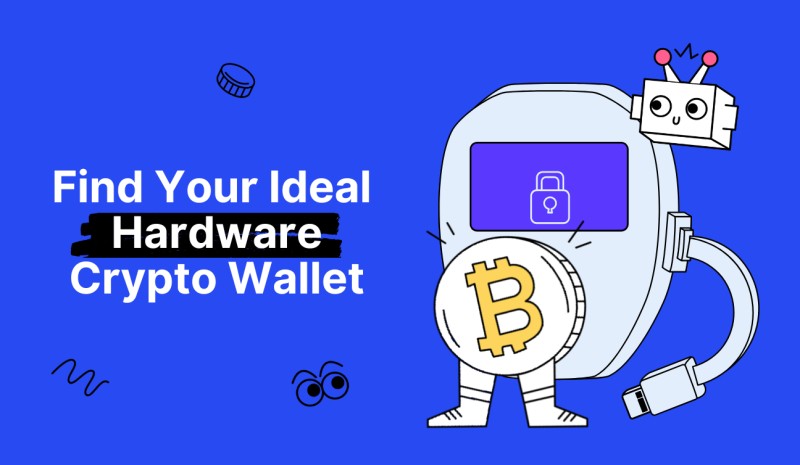
A hardware wallet is a USB-like physical device built around a secure element. It stores private keys in an isolated environment and connects to a computer, phone, or other device when a user needs to manage or sign a transaction. The aim is to keep sensitive key material away from an internet-connected host.
When someone creates a transaction, they sign a unique message. The signature proves control of the private key without revealing that key. Because the private key is needed to produce the signature, another person cannot authorize the same transaction without access to it.
Most hardware wallets protect signing with a PIN, passphrase, biometrics, or another authentication method. A backup seed phrase is also needed to recover cryptocurrency if the device is lost, damaged, stolen, or unusable. The private key itself should never be shared or exposed to an untrusted party.
Cold Storage and Hot Wallets
Hard wallets for cryptocurrency come in several forms, and each has different trade-offs. Understanding the basic categories helps you pick the right one for your situation.
A cold cryptocurrency wallet keeps keys offline, which is the core idea behind hardware storage. The source describes hardware wallets as the cold-storage option for people who hold a meaningful amount of crypto and want to keep it offline. Hot wallets are convenient but expose sensitive information on internet-connected devices. Paper wallets have no network connection but depend entirely on the physical document remaining intact and accessible.
Types of wallets
- A hot wallet runs on an internet-connected device, such as a phone, desktop computer, or browser.
- A paper wallet records public and private keys on paper or as a printed QR code.
- Cold wallets for cryptocurrency keep keys away from internet-connected environments. A hardware wallet is one form of cold wallet.
- A custodial wallet or centralized exchange holds assets on the user's behalf. The user does not directly control the private keys.
A hardware cold wallet separates the secure element from the communication chip, which is why it can sign transactions without exposing the key to the host computer. Centralized platforms do not provide the same key control. The source cites the FTX, Celsius, and BlockFi collapses, as well as the KuCoin hack, as reasons to consider keeping the majority of crypto outside exchanges.
No security system is completely foolproof. A relatively small balance left on a respected exchange may be manageable with strong exchange security and two-factor authentication, but the risk remains, and keeping larger balances offline reduces exposure to centralized-platform failures.
How Hardware Wallets Keep Keys Safe
When a transaction is created on a hardware wallet, the signing happens locally on the device. A compromised computer may still be unable to extract private keys from the secure element. But a stolen hardware wallet should be considered compromised, and physical attacks, supply-chain tampering, bad software, user errors, and weak backup procedures remain possible.
Offline signing and key isolation can reduce remote compromise while leaving physical theft, malicious transaction requests, compromised recovery information, and supply-chain risks unresolved. These are different threat scenarios, and each needs its own response. A cold wallet ledger device stores keys in isolation and connects to a host only when a transaction needs signing, which limits the window of exposure.
The source also notes that a compromised computer may still be unable to extract private keys from the secure device. But a later security guide gives a broader warning: a stolen hardware wallet should be considered compromised. These statements address different threat scenarios, and understanding both helps you set realistic expectations.
Matching a Wallet to Your Experience Level
There is no universally best wallet for every user. Security, convenience, supported assets, connectivity, physical durability, price, and recovery requirements vary by situation. The source provides a practical custody framework that divides users into several levels based on experience and balance size.
Custody framework by experience
- A user with no prior experience may begin with a custodial wallet or centralized exchange.
- A beginner with a small amount may use a browser, desktop, or mobile wallet for short-term holdings and Web3 interaction.
- An intermediate user with a medium-sized balance may use a hardware wallet.
- An intermediate user with a large balance may combine a hardware wallet with multisignature or social recovery.
- An advanced user protecting large or long-term funds may use multisignature, social recovery, or a custom security system.
This framework is not presented as an exhaustive security audit. The underlying security guide says its authors did not personally perform security reviews of every product, and security-focused users should examine the security information supplied by each wallet vendor.
Custodial Wallets and Centralized Exchanges
A custodial wallet or centralized exchange may be the starting point for someone who does not yet understand how to manage private keys. Suggested platforms include Coinbase and Kraken.
Advantages include simple onboarding, account recovery, and a familiar interface for buying, sending, and receiving crypto. Risks include the exchange owning or controlling deposited funds, the ability to freeze an account, platform failure or insolvency, and the possibility that a compromised exchange or employee could expose user information or assets. A centralized exchange can be useful for a new user, but it does not provide the direct key control associated with a hardware wallet.
Hot Wallets for Everyday Use
Browser, desktop, and mobile wallets are hot wallets when they operate on internet-connected devices. They are convenient for small balances, frequent transactions, decentralized applications, DeFi, NFT marketplaces, and other Web3 activities.
The meaning of "small" is personal. One security guide uses hypothetical figures to illustrate the difference: an amount that might be negligible to a high-net-worth individual could be a serious loss for a student with loans or a parent supporting two children. The examples used were approximately $1 million, $50, and $1,000, but the underlying point is that the acceptable loss threshold depends on each person's finances.
Browser and mobile wallets let the user control private keys and connect easily with Web3 applications. But the user is the only security checkpoint. A compromised computer, phone, browser extension, or downloaded application may expose funds. Incorrect setup or a user mistake can result in permanent loss. Some wallets collect user data or require privacy settings to be adjusted.
If a large amount must remain in a hot wallet, the security guide recommends dividing it among multiple wallets with different secret phrases. This limits the effect of a compromise affecting one wallet, but it does not eliminate the broader risk of malware, phishing, or compromised operating systems.
Potential hot-wallet options include MetaMask, Rabby, Frame, Rainbow, MyEtherWallet, Trust Wallet, CoinRabbit, and Zengo. Their suitability depends on the features and custody model described below. Web3 antivirus software is also identified as a tool that can make hot-wallet use safer, though it does not replace secure key handling or a hardware wallet.
Hardware Wallets for Medium-Sized Holdings
A hardware wallet is presented as the next step for an intermediate user who wants more separation from the internet while retaining the ability to interact with decentralized applications. It can keep private keys away from the host device, and many models use secure-element chips, offline signing, PINs, passphrases, and verification screens.
A hardware wallet can still be a single point of failure. If the device, seed phrase, associated software, or recovery process is compromised, the user may lose access. A stolen device may also be exposed to physical coercion or attacks. For large balances, one device managed by one person may therefore be insufficient without multisignature controls or independent backups.
Multisignature and Social Recovery
For large or long-term holdings, the security framework recommends a multisignature wallet, social recovery, or both, often combined with one or more hardware wallets as signing devices.
A multisignature wallet requires multiple authorized signers to approve a transaction. For example, in a three-of-five arrangement: a MetaMask wallet approves a transaction to send 5 ETH, a Trezor wallet provides a second approval, and a Frame wallet provides a third approval. The transaction is submitted after the three-of-five threshold is reached.
Safe is identified as a multisignature option. Aragon is also mentioned as having a multisignature feature for DAOs. Multisignature arrangements can remove reliance on one private key or device, require several approvals before funds can move, allow a compromised signer to be replaced without moving all funds, and distribute signing across devices in different locations. Their disadvantages include limited support from some Web3 applications and different address formats across chains. Multisignature is also more complex to configure, and incorrect setup can permanently prevent access to funds.
Social recovery uses one signing key for normal transactions and a group of guardians who can replace a lost signing key. The guide describes at least three guardians, with a majority able to cooperate to change the signer. Safe and Argent are identified as potential options. Under normal conditions, a user signs transactions with one confirmation, much like with a conventional wallet. If the signing key is lost, the guardians can authorize a replacement.
"Under all normal circumstances, the user can simply use their social recovery wallet like a regular wallet, signing messages with their signing key so that each transaction signed can fly off with a single confirmation click much like it would in a 'traditional' wallet like Metamask. If a user loses their signing key, that is when the social recovery functionality would kick in."
Social recovery may also use a Shamir-style backup. In the model described, a recovery share is a sequence of 20 or 33 English words containing part of a cryptographic secret. Trusted holders can combine shares to reconstruct the secret. Trezor Model T is described as supporting this feature out of the box.
Security Features to Compare
When comparing hardware wallets, several security features matter. Here is what to look at and why.
Key security features
- Secure-element chips. Many hardware wallets use a secure-element chip designed to isolate private keys from the chip used for ordinary communication. The security level is sometimes stated through an Evaluation Assurance Level certification. Ledger Nano X uses EAL5+, Ledger Nano Flex uses EAL6+, and NGRAVE Zero uses EAL7. Certification levels describe evaluated assurance; they do not by themselves eliminate phishing, malware, poor seed handling, physical attacks, or malicious transaction requests.
- Offline signing and air-gapped operation. Cold wallets keep key operations away from an internet-connected host. Some connect to a computer or phone only to process a transaction. Air-gapped models go further by transferring information through QR codes or another physical medium and do not require an internet connection to operate. Offline signing can prevent malware on a connected computer from directly reading the private key, but it does not automatically stop a user from approving a fraudulent transaction if the transaction details on the hardware display are not checked.
- Screens and on-device input. A device screen lets the user verify the destination, amount, asset, fee, and transaction type before confirming. A touchscreen can keep PIN and passphrase entry on the device rather than requiring sensitive information to be typed into a computer. Trezor Model T handles PIN and recovery-related entry on its touchscreen. Ledger Nano Flex uses an E Ink display for signing. A trusted display is valuable only if the user checks every visible detail and refuses a transaction that does not match the intended request.
- Connectivity options. USB provides a physical connection and works with compatible desktop software. Bluetooth allows connection to a computer or mobile device without a cable. NFC enables short-range wireless communication with a phone. Air-gapped QR codes transfer unsigned or partially signed information without a direct electronic connection. The companion software is part of the security boundary.
Asset Support and Recovery
Most hardware wallets support Bitcoin, Ethereum, and a selection of other major assets, but the number varies substantially. Users should check the current support list before purchasing, especially for Solana, Cardano, newer Layer-1 networks, less common altcoins, and tokens represented through bridges, wrapped assets, or third-party applications.
The same product name can carry different support counts because the figures come from different years and may refer to different models. Ledger Nano X is described as supporting more than 1,800 coins in one passage and 1,000-plus assets in its specification list. Ledger Nano Flex is later described as supporting more than 5,500 assets. These claims are not necessarily contradictory because they refer to different products and dates, but they should not be compared without checking the current asset list.
A hardware wallet should include a dependable recovery process. The user must know whether the wallet uses a standard seed phrase or a device-specific recovery method, where the backup is stored, whether the device can restore the same wallet on a second unit, whether a passphrase creates additional hidden wallets, and whether backup information is enough to recover funds after the original device is destroyed. A hardware wallet without a tested recovery path is not a complete backup.
Hardware Wallet Product Profiles
The source material profiles several hardware wallets across different dates and price points. Here is a breakdown of the main devices discussed.
Trezor Model One
Trezor Model One is presented as the most accessible entry-level hardware wallet for beginners who want cold storage at a lower cost. Key characteristics include private keys remaining offline, PIN and passphrase protection, compatibility with desktop wallets and decentralized applications through Trezor Suite, and a physical connection requirement. It does not support Solana, Cardano, or newer Layer-1 networks in the stated comparison. The device is positioned for beginners who can manage a seed phrase and basic transaction confirmation but do not need a premium touchscreen or wireless connection.
Trezor Model T
The first Trezor device was released in 2013 by the Prague-based company SatoshiLabs. The premium Model T was released in 2018. The source describes it as one of the most secure hardware wallets available, although that assessment is the source's product ranking rather than an independent universal finding.
The device offers a touchscreen for entering sensitive information and reviewing transactions, more asset support than Model One, operation through Trezor Suite or the Trezor web wallet, integration with Exodus, MetaMask, and other Web3 systems. The price was $219, and it supports more than 1,000 assets. Compatibility was listed with Windows 10 or later, macOS 10.11 or later, Linux, and Android. Chrome OS, Apple iOS, and Windows Mobile were not listed as supported.
The source says there were no documented successful remote hacks that caused financial loss after the Model T's 2018 release. That statement is limited to remote attacks reported in the material and does not address physical attacks, compromised computers, phishing, or incorrect handling of a seed phrase. Unlike Model One, which requires sensitive information to be entered into a connected computer, the Model T handles that input on its own screen. The trade-off is a higher price.
Ledger Nano X and Nano Flex
Ledger is described as a French company that had become an industry-standard hardware wallet manufacturer. The Nano X was Ledger's premium product and includes an EAL5+ certified secure-element chip, USB and Bluetooth connectivity, Ledger Live support, a larger screen than the Nano S, and storage for up to 100 applications. The price was $149.
The source says the Nano X supports more than 1,800 coins in one passage and 1,000-plus assets in its specification list. The difference is retained because both figures appeared in the same dated product description. A security incident in mid-2020 exposed personal information belonging to more than 270,000 Ledger customers, including email addresses, phone numbers, and home addresses. Customer crypto was not at risk in that breach, but attackers subsequently attempted to phish Ledger customers for private keys and recovery phrases through email.
Ledger Nano Flex is presented as a premium cold wallet for a beginner with a larger asset-selection requirement and a higher budget. It supports more than 5,500 crypto assets, uses an E Ink screen for transaction signing, NFC for wireless communication, and an EAL6+ certified secure chip. It requires the Ledger Live desktop application for setup. The broader security guide lists Ledger Flex among hardware wallets it considers usable while noting that it is closed source. The same guide prefers open-source hardware options and identifies Trezor Safe 5 as open source.
A ledger hardware wallet connects via USB or Bluetooth and keeps keys on the device, but the companion software is part of the security boundary. A hardware device can still be used to sign a malicious request displayed by compromised software, and users must confirm the transaction on the trusted device screen.
Ellipal Titan
Ellipal Titan is an air-gapped hardware wallet that uses QR codes to transfer information without requiring an internet connection. It supports 46 blockchains and more than 10,000 crypto assets, with a price of $139. Compatibility is listed with iOS and Android applications. The device has a sealed body intended to resist dust and water damage and an anti-tamper function that wipes private keys if the device is physically broken. This makes the device resistant to physical extraction but also makes recovery information essential.
NGRAVE Zero
NGRAVE Zero is positioned as a high-security air-gapped wallet for users willing to accept a premium price and more complex physical security model. The company reportedly received $6 million in early funding from investors including Morning Star Ventures, Woodstock Fund, and DFG Group. It collaborated with cryptographer Jean-Jacques Quisquater, who is mentioned in Satoshi Nakamoto's Bitcoin white paper.
NGRAVE and Quisquater developed a private-key generation method called the "Perfect Key." The source describes it as the most secure private key system "on the planet today" and explains that NGRAVE generates the private key in real time during setup. Listed features include a fully air-gapped design, EAL7 certification, RoHS and CE certification, a light sensor, biometric scanner, PIN protection, tamper-resistant construction, and a metal case made from military-grade premium materials. The price was $434. The device supports Bitcoin, Bitcoin Cash, Ethereum, Dash, Zcash, Litecoin, Binance Coin, XRP, Dogecoin, Tezos, MultiversX, Groestlcoin, Solana, and Stellar.
KeepKey and Other Models
KeepKey is presented as the least expensive option in the discussed top-five list. Its price was $49, and the source highlights its relatively large screen for the price. It supports Bitcoin, Bitcoin Cash, Ethereum, Litecoin, Dogecoin, Dash, and 46 ERC-20 tokens. Limitations include fewer supported assets than other products in the list, no integration with other Web3 wallets, no interaction with many DeFi applications, and USB connectivity to KeepKey Desktop only, with no mobile compatibility. The guide ranks KeepKey fifth and identifies it as the budget choice.
Trezor Safe 3 and Trezor Safe 5 are identified as Bitcoin-only hardware wallets in a later guide. Users who want one dedicated device for Bitcoin and another for other cryptocurrencies are described as a possible reason to own more than one device. Trezor Safe 5 is later identified as open source. Trezor Safe 7 is described as offering wireless freedom and "future-proof" security, though that wording is a product description rather than a guarantee that future cryptographic standards or product changes will not affect it. Grid+ Lattice1 is listed among closed-source hardware wallets with no specifications, price, supported-asset count, connection method, or security certification provided in the source material.
Beginner Hardware Wallet Picks
A beginner comparison names the following overall wallet categories. The underlying point is that each serves a different need, and the right pick depends on what you plan to do with your crypto.
Beginner wallet categories
- CoinRabbit: best crypto wallet for beginners, a hybrid wallet for storage, swapping, and borrowing in one app.
- Zengo: best crypto wallet without a seed phrase, using multi-party computation instead of a traditional seed.
- Trust Wallet: best mobile wallet for token variety, a non-custodial option owned by Binance.
- MetaMask: best Web3 wallet for Ethereum and DeFi, available on mobile and in a browser.
- Trezor Model One: best entry-level hardware wallet for cold storage at a lower cost.
- Ledger Nano Flex:
Comments on “How to Pick the Right Hardware Crypto Wallet for Your Peace of Mind”
No comments yet. Be the first to share your thoughts.