
Cold Cryptocurrency Wallets vs. Hot Wallets: Security and Daily Use
Cold Cryptocurrency Wallets vs. Hot Wallets: Security and Daily Use
A cold cryptocurrency wallet can look like a small USB drive. That can make the name feel more dramatic than the real idea. The device isn't packed with coins. It keeps the private key that lets you control them.
The coins and tokens stay recorded on a public blockchain. A wallet holds or uses the keys connected to those records. I find this distinction matters because it changes how you think about access, risk, and where your money can be reached.
A wallet does not actually contain cryptocurrency coins or tokens.
A hot wallet is connected to the internet, so it suits daily transfers, trading, and other frequent activity. A cold cryptocurrency wallet keeps its keys away from a continuous online setting, which makes more sense for long-term holdings and reserves. Many people use a hot wallet for small routine balances and a cold wallet for larger sums they don't expect to move at once.
What a cryptocurrency wallet stores
A cryptocurrency wallet is a program or physical device that manages the keys used to access an account. It may show a balance, token holdings, or NFT records. It can also help you prepare and approve blockchain transactions.
The public address identifies the account. The private key signs transactions and gives its holder authority over the funds. A seed phrase, also called a recovery phrase, is a list of random words that can restore or import a compatible wallet.
The parts you will hear about
- A public address is the account label you share when receiving cryptocurrency.
- A private key signs transactions and grants control over the account.
- A seed phrase can restore or import a wallet when your software changes.
- Balances, token records, and NFT records stay written on the public blockchain.
- The wallet controls the keys; it does not hold physical coins inside its case.
Think of the address as where funds are sent and the private key as proof that you can move them. The recovery phrase has a similar job because it can rebuild access to the same wallet. None of these should be treated like a casual login detail.
Hot, cold, custodial, and self-custodial
Hot and cold describe the storage setting. A hot wallet uses keys or signing tools through internet-connected systems. A cold wallet keeps key material offline or on a separate device that is not always online.
Custodial and self-custodial describe who controls the keys. A third party holds the keys in a custodial system. You hold them yourself in a self-custodial wallet, also called a non-custodial wallet.
Four wallet combinations
- A hot, self-custodial wallet is online, while you keep the private keys.
- A cold, self-custodial wallet keeps keys offline, while you keep control.
- A hot, custodial account gives you access through a provider that holds the keys.
- A provider can use cold reserves while giving customers online access through a hot account.
This means a cold wallet is often self-custodial, but the terms do not always travel together. A large fund can place reserves under cold infrastructure managed by a third party while keeping a hot system for daily activity. What matters is both the connection and who can approve a transfer.
Cold and hot describe connectivity and key exposure. Custodial and self-custodial describe who controls the keys.
Hot wallets for daily crypto use
A hot wallet connects to the internet and can reach blockchain networks without a long setup. Common forms include mobile apps, desktop apps, browser extensions, web wallets, and exchange accounts. The source names MetaMask, 1inch Wallet, and Trust Wallet as software wallet examples.
Mobile and desktop apps may store keys on your device and add encryption or biometric locks. Some desktop wallets can run a full node, but that requires lots of disk space and power. Web wallets run on a developer's servers, while browser extensions are installed but work through a web-like interface.
The main risk comes from constant connection. Phishing, malware, bad apps, browser attacks, stolen passwords, and compromised devices can all reach a hot wallet. If someone gains control, assets may move quickly because the signing tools are already online.
Common hot wallet jobs
- Everyday transfers and payments
- Frequent trading and quick liquidity access
- Connections to exchanges and DeFi apps
- Use of decentralized apps and blockchain protocols
- Exchange operations that need immediate funds
Hot wallets are usually easy to set up, and many software apps are free. Their bank-like feel is useful. The trade is clear: you gain speed and easy access, but you accept more online exposure. A hot wallet isn't weak by definition, though its live connection gives attackers more paths to try.
Cold cryptocurrency wallet basics
When people ask about cold wallets for cryptocurrency , they often picture coins hidden in a safe. The coins stay on the blockchain. What sits in the safe is the key or the device that protects it.
Cold storage of cryptocurrency can take several forms. Hardware wallets keep keys on a dedicated device, paper wallets print or write keys on paper, and offline signing tools keep key material outside a live online setting.
If you search for the best cold wallets for crypto , there is no single answer in the material here. Your use, recovery needs, and physical setup matter more than a brand name. A cheap paper record and a well-kept hardware device solve different problems.
Cold storage isn't safe because the word “offline” does all the work. Physical theft, damaged records, weak access rules, and bad recovery copies still matter. That is the point of a sound cold storage cryptocurrency setup : it reduces online exposure while adding clear rules for the keys you moved offline.
What cold storage gives you and asks you to handle
- It keeps key material away from continuous internet access.
- It works well for long-term holdings, reserves, and large balances.
- It gives you physical control when you control the device or record yourself.
- It takes more steps to connect, review, approve, and finish a transaction.
- It creates a need for safe storage, recovery copies, and clear approvals.
- It does not remove theft, loss, damage, or poor procedure.
Offline key storage addresses online exposure but does not by itself establish a complete security environment.
Hardware wallets keep signing off the everyday computer
A hardware wallet is a small physical device that keeps encrypted blockchain credentials away from the general-purpose computer environment. You prepare a transaction in software, connect the device, review the details, and confirm the transaction on the hardware itself. After approval, you can disconnect it.
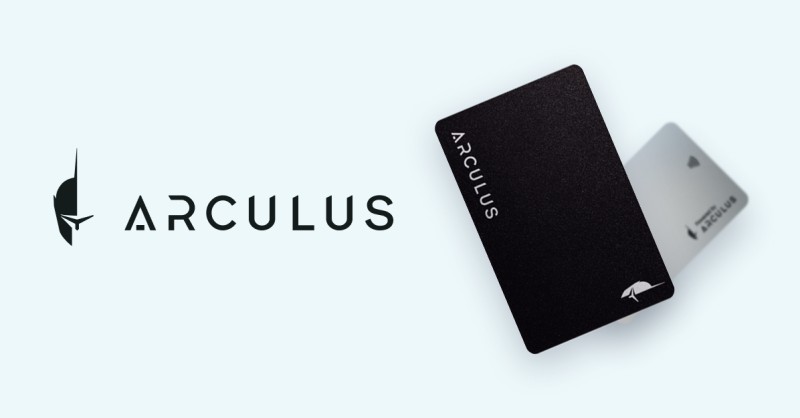
Many hardware wallets connect through USB, Bluetooth, or another method. The source names the Ledger Nano S, Ledger Nano X, Trezor, and Arculus Card as examples. A hardware device can also support several blockchains, depending on the model.
If you are searching for the best hardware crypto wallet , compare where the keys stay, how the device confirms a transaction, which blockchains it supports, and what happens after the device is lost. The examples here are not ranked. The right pick depends on your setup and recovery plan.
I can't compare a dcent cold wallet from the facts provided here. The card example I can explain is the Arculus Card, which works with a phone app through a tap-based process. The card and its app can manage a crypto portfolio while the private key stays on the dedicated card.
You may see the odd phrase hard wallets for cryptocurrency . Here, I mean physical hardware wallets. If you look up a Ledger cold wallet , pay attention to the supported networks, signing process, backups, and storage place. A Ledger hardware wallet is one of the named options, not proof that every use case has the same answer.
What to check in a hardware wallet
- Where the private keys remain during signing
- How the device shows and confirms transaction details
- Which blockchains and assets the model supports
- Whether it uses USB, Bluetooth, or another connection
- How the wallet can be restored after device loss
- Where the physical device will be kept when unused
The private keys remain isolated on the dedicated device rather than being continuously exposed in a general-purpose internet-connected environment.
Paper wallets and offline records
A paper wallet contains a public address and its private key or seed phrase on paper. The keys are not exposed through an internet-connected device while the paper stays secure. But paper can be lost, damaged, destroyed, read by someone else, or stored in the wrong place.
Paper cannot trade or approve a transaction by itself. To spend from it, you may need to import or restore the wallet in compatible software. That makes it more of a storage record than a live payment tool.
Paper wallet safety rules
- Do not make one piece of paper your only copy.
- Keep copies in separate secure locations.
- Protect the record from fire, water, wear, and other damage.
- Do not show the private key or recovery phrase to anyone.
- Use compatible software when you need to prepare or approve a transaction.
The paper itself is not a live application for trading or approvals.
Paper removes the key from a connected machine. It does not remove the need for care. In that sense, it is a simple tool with a sharp edge: fewer online paths, but more dependence on physical storage.
How to transfer crypto to a cold wallet
When you look up how to transfer crypto to cold wallet methods, focus on the approval path. The transfer starts in software, but the key that signs it remains in the cold system. The process has more pauses than a hot-wallet payment, and those pauses are part of the protection.
A hardware wallet transfer flow
- Open compatible wallet software and prepare the send transaction.
- Enter the recipient address and amount, then review the details.
- Connect the hardware wallet when the software asks for signing.
- Confirm the transaction on the dedicated device.
- Disconnect the device after the approval is complete.
For a paper wallet, the flow is different. You need the private key or seed phrase to import or restore the wallet in compatible software, so the paper record cannot stay the only working interface. Either way, never send a recovery phrase through an ordinary message or enter it into a site you have not checked.
The extra steps are not there to make the transfer harder for fun. They give you time to check the address, amount, and approval path. They also keep the private key out of the everyday online wallet during signing.
Connecting, verifying, approving, and completing a transaction takes more effort than with a hot wallet.
Hot wallet and cold wallet differences
The cleanest way to compare the two is by looking at what changes when you need the funds. Hot wallets are built for quick access. Cold wallets are built for keeping keys away from continuous online use.
Side-by-side wallet comparison
- Connection: A hot wallet stays linked to the internet. A cold wallet connects only when needed, if at all.
- Key exposure: Hot keys or signing tools sit in connected apps and devices. Cold keys stay outside that setting.
- Forms: Hot wallets include apps, extensions, web wallets, and exchange accounts. Cold wallets include hardware, paper, and offline signing tools.
- Main role: Hot wallets handle daily activity. Cold wallets handle reserves, long-term holdings, and larger balances.
- Speed: Hot transactions can finish in seconds. Cold transfers need more steps and physical checks.
- Cost: Most software wallets are free. Hardware usually costs money, while paper adds storage and backup work.
- Online risk: Hot wallets face more phishing, malware, exploit, and device-access paths. Cold wallets have less continuous online exposure.
- Physical risk: Hot software is easier to copy and back up. Cold systems add risks from loss, theft, damage, and manual handling.
- Custody: Either type can sit inside a provider-controlled system or a self-custodial setup.
Neither label tells the whole story. A cold device with weak access rules can still be mishandled. A hot wallet with strong controls can be safer than a careless cold setup. The category is useful because it narrows the risk. It is not a promise that one word solves security.
Which wallet fits each crypto job?
Wallet choice depends on the value involved, how often you need the funds, and how much inconvenience you will accept. It also depends on who should approve a transfer. The source describes several clear patterns.
Wallet roles for different users
- Retail investors can keep a small spending balance in a hot wallet and long-term holdings in cold storage.
- High-frequency traders can use hot wallets for immediate trades and cold storage for larger balances or profits.
- Long-term holders can use a cold wallet for self-custody of tokens and NFTs, with only needed funds kept hot.
- Exchanges can use hot or MPC-secured systems for liquidity and cold storage for most reserves.
- Family offices and crypto funds can use custodians, cold wallets, KYT/AML checks, and multi-approval rules.
The source says many experienced crypto investors use both types. That split is easy to understand: one wallet handles the money you may need this week, while the other holds money with a longer job. Keeping only a little in the hot system can reduce what sits inside daily online exposure.
For a long-term Bitcoin or Ethereum holding, cold storage may make the most sense. For smaller routine transfers, a hot wallet is easier. The balance between them matters more than the label on a single device.
Custody is a separate choice
A custodial wallet is managed by a third party that holds the private keys. You access it through an account, but the provider keeps the credentials. Centralized exchanges such as Coinbase, Binance, and Gemini are named as custodial examples in the source.
A self-custodial wallet gives you control of the keys or seed phrase. The source names 1inch Wallet, MetaMask, and Trust Wallet as self-custodial examples. These wallets generally do not require a third-party account or KYC process to be created, which is one reason people choose them.
How custody changes the relationship
- Key control: A custodian holds the keys; a self-custodial user holds them.
- Recovery: A provider may restore account access; you must protect your own recovery phrase.
- Account rules: A provider can set limits, fees, identity checks, and transaction rules.
- Access risk: A third party can block or restrict an account and can itself be attacked.
- Portability: A self-custodial wallet can be imported into another compatible wallet with its key or seed phrase.
- Responsibility: Self-custody removes the provider's help, so lost passwords and keys can mean lost access.
That last point is the hard part of self-custody. Control feels good because no provider stands between you and the blockchain. It also means you own the backup, the device, and the decisions. A provider can make life easier, but you accept the provider's security and account rules.
Not your keys, not your coins.
Why large holders use wallet layers
A large setup often divides funds by job. A hot or warm wallet handles trading, payments, withdrawals, and liquidity. A cold tier holds reserves and long-term balances. The source describes one exchange model that places 90% or more of funds in cold storage while leaving an online balance for transactions.
Multi-Party Computation, or MPC, gives the operational side another option. Instead of one complete private key, it splits the key into shares held by people, groups, or machines. No single party holds the whole key, and approvals can follow set roles and rules.
Parts of a layered wallet system
- Hot or warm wallets for immediate payments and trading
- Cold reserves for larger balances and long-term holdings
- MPC shares for distributed signing and policy rules
- Multiple roles for starting, reviewing, and approving transfers
- Audit trails that record transaction decisions
- Access rules, monitoring, and KYT/AML checks
MPC does not erase the value of cold storage. A fund may need fast access for operations and a separate reserve tier for long-term control. A poorly managed cold wallet can also be weaker than a hot MPC system with clear approvals. The full setup matters, not just the label on one part.
No single party holds the complete private key.
Multisignature and HD wallets
A multisignature wallet requires more than one private key to authorize a transaction. Its owners set the addresses or signers that must approve. If one signing device is stolen, the transaction may still fail without the other required approvals.
Multisignature wallets can serve groups, organizations, decentralized autonomous organizations, and escrow arrangements. They add a layer of approval, but they can be harder to set up than a standard single-signature wallet. The source describes them as code-controlled wallets managed by their owners rather than one person alone.
A hierarchical deterministic, or HD, wallet solves a different problem. A master key derived from the seed phrase can create many child public addresses. That can reduce address reuse when someone makes many transactions. HD works in both software and hardware wallets, so it does not tell you whether a wallet is hot or cold.
Think of multisignature as a rule about who must approve. HD is a method for creating and organizing addresses. One protects the approval path; the other handles key generation. They can exist in the same wallet, but they should not be confused.
A plain cryptocurrency security checklist
Wallet type is only one part of security. The accounts, devices, browsers, and apps around it still need care. A strong setup uses layers that work together instead of trusting one password or one device.
Everyday wallet security
- Use a strong, unique password for each exchange or online-wallet account.
- Use a password manager to create and store complex passwords.
- Turn on two-factor authentication wherever it is offered.
- Update the computer, phone, browser, operating system, and wallet software.
- Check the sender and website before opening an account or approving a transaction.
- Never share a private key or recovery phrase with a provider, support agent, or stranger.
- Use a secure internet connection and reliable antivirus protection.
- Keep only the amount needed for routine activity in a hot wallet.
Phishing messages can copy a wallet company, exchange, bank, or other familiar service. That is why a message that looks official is not enough proof. Check the source before you sign in, share information, or approve a transaction. A real provider should never ask for your seed phrase.
Software updates matter because old programs can still carry known weaknesses. Strong passwords and two-factor codes help protect account access. None of those steps makes a connected key as quiet as offline storage, but they reduce the number of easy paths into your funds.
Never share a recovery phrase.
Backups, recovery, and inheritance
Backups are not extra copies that you can treat as an afterthought. A hardware wallet can be lost or destroyed, while a paper wallet can be damaged or misplaced. A sound recovery record can restore access only if it exists and remains protected.
Keep more than one backup in separate secure locations. For a paper wallet, one copy should not be the only copy. For a hardware wallet, make sure you understand the recovery process before you need it. The physical device and the backup have different jobs.
Recovery records to keep straight
- One recovery copy protected from online systems
- A second copy in a separate secure place
- A clear record of which wallet each backup belongs to
- A private key or seed phrase kept away from public view
- A plan for family or trusted people if you cannot access the wallet yourself
Inheritance planning is part of security too. A clear plan or inheritance service can give loved ones an orderly way to find the information they need. It is better than leaving passwords and recovery phrases scattered across devices with no explanation.
Self-custody puts you in charge, but it also puts you in the way when something goes wrong. If you lose both the password and the private keys, no provider can restore the account. A backup and a clear plan are what turn control into something you can pass on.
If you lose both the password and the private keys, there is no provider to restore the account.
A simple setup by asset value
A cold cryptocurrency wallet is often most useful as the reserve side of a two-wallet setup. A hot wallet handles small, frequent needs. The cold wallet holds larger or long-term balances. The exact split depends on your activity and your comfort with extra steps.
A simple two-wallet plan
- Keep only the amount needed for daily transfers in a hot wallet.
- Place long-term or larger holdings in a hardware wallet or another cold setup.
- Keep recovery copies offline and in more than one secure location.
- Use multisignature controls when several people must approve funds.
- Write down which wallet controls which balance and where each backup is kept.
- Review the device, account, and recovery plan before moving a large amount.

Comments on “Cold Cryptocurrency Wallets vs. Hot Wallets: Security and Daily Use”
No comments yet. Be the first to share your thoughts.