How to Choose the Best App for Cryptocurrency Trading Without the Hassle
How to Choose the Best App for Cryptocurrency Trading Without the Hassle
Choosing the best app for cryptocurrency trading can feel like picking a phone from a wall of screens. You don’t need a tech degree. You need to know who holds the money, what each trade costs, whether the app is legal for you, and how hard it is to get your coins out. I start there because a clean screen cannot fix weak security or hidden costs.
A cryptocurrency app lets you buy, sell, hold, deposit, and withdraw digital assets. Some also offer cards, payments, lending, automated trades, stocks, and other financial products. More choices can help, but they can also make the app harder to understand.
What the app should handle
- Buy and sell digital assets
- Show live prices and order details
- Deposit and withdraw local money
- Send or receive cryptocurrency
- Track balances and wallet addresses
- Give useful price and account alerts
- Provide support and security details
The best app for cryptocurrency trading is not the one with the longest list. It is the one you can see clearly and control.

When I compare apps for crypto trading , I treat the phone and website as one product. Mobile access does not change who holds the assets or whether the service is legal where you live. A ranking, user count, or fee in an old comparison may be a dated snapshot, so your own test matters.
Seven top crypto trading platforms reviewed for 2026
Start With the Job You Want Done
Not every app is made for the same job. You may want to buy Bitcoin and hold it for years, trade several tokens each week, or use leverage. Someone else may want to practice, earn rewards, spend crypto, or connect an automated system. These needs call for different tools.
When I sort the best cryptocurrency trading apps , I group them by fit instead of placing every name in one rank. The right choice begins with your goal, location, payment method, and comfort with risk.
Questions to answer first
- Do you want to hold, trade, spend, or automate?
- Which coins or markets do you need?
- How often will you place trades?
- Which payment methods can you use?
- What country and local rules apply to you?
- Do you need spot, margin, futures, or derivatives?
- How much money could you lose?
- Do you need lessons, demos, charts, or APIs?
Experience matters too. A simple interface can help a beginner learn order types and account controls. An experienced trader may need advanced orders, margin, futures, charts, and faster API access. More tools can help, but they can also turn one mistake into a larger loss.
Security Comes Before Fee Comparisons
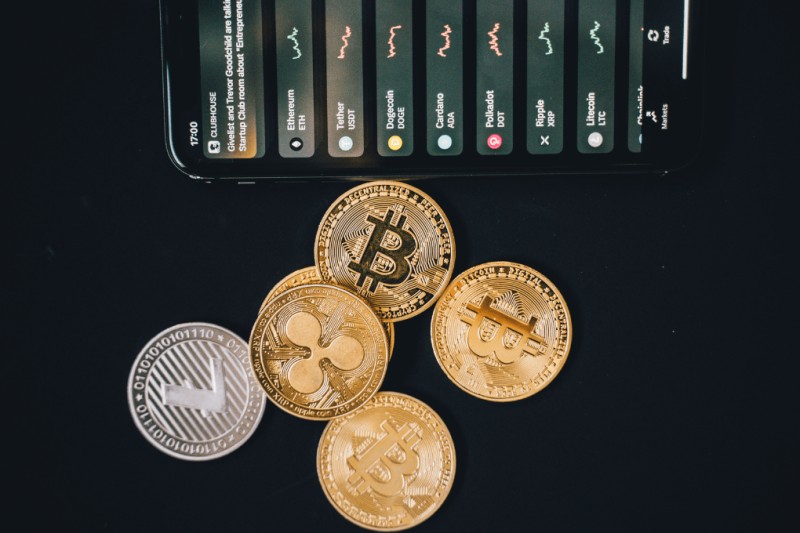
Hey, don’t skip this part. A low fee cannot buy back money lost through a weak account setup. Before you add funds, I would check the app’s local license, account locks, two-factor login, data encryption, fund storage, support, and security history.
Security checks before funding an account
- Check local licenses and legal notices
- Turn on two-factor authentication
- Look for authenticator or biometric login
- Learn how the platform stores assets
- Check whether personal data is encrypted
- Review device and account controls
- Read past security incidents and fixes
- Find the terms for any insurance or fund protection
- Make sure your own device is free from malware
Security is the first gate. A cheap trade is not worth much if the account is easy to take over.
Two-factor authentication asks for proof beyond your password. It may use a PIN, a code from an authenticator app, SMS, or face or fingerprint checks. Cold storage keeps coins offline and away from a direct internet link. No setup removes every risk, but several layers give you more room to react if one control fails.
Read the Whole Fee Schedule
If you are searching for which crypto app has lowest fees , don’t stop at the headline trading rate. A card-funded purchase, an exchange trade, and a cashout can have separate charges. The cheapest way to buy may not be the cheapest way to sell or withdraw.
Costs to check before you trade
- Buying cryptocurrency
- Selling cryptocurrency
- Bank or card deposits
- Withdrawals
- Instant card purchases
- Fiat-to-crypto conversion
- Swaps between tokens
- Bid and ask spreads
- Special order types or trading pairs
- Lock-up, service, or reward charges
A low headline trading fee may not represent the full cost.
I would compare the exact route I plan to use, including the token, payment method, trade size, and cashout. Some cited profiles mix unlike fee claims, so a vague or conflicting answer is a reason to open the live fee page. If the app cannot show the cost before I confirm a trade, I move on.
Comparing top crypto trading apps features and tips
Test the Interface and Asset List
If your main job is buying coins, the best app to buy crypto may be the one with the clearest purchase flow. I want to know where the price comes from, what I will receive, and what happens next. The same screen should not hide a spread or withdrawal charge.
A clear first walkthrough
- Find the buy and sell buttons fast
- See the full cost before confirming
- Deposit and withdraw without hidden steps
- Track balances and wallet addresses
- Understand limit and stop orders
- Set alerts that you can control
- Open support and help pages easily
- Read security and fee details
More coins do not make a better app. A clear choice matters more than a long menu.
A broad asset list can give you access to Bitcoin, Ethereum, altcoins, indices, derivatives, or other products. It can also make the app harder to learn. I check whether the assets I need are there, then ask whether I truly need the rest.
Know What Mobile and Extra Features Add
Mobile apps can save time. They can also pull you into a trade with one tap. Convenience is useful, but it does not remove market, fee, custody, or legal risk. I keep alerts off until I understand how each one works.
Features worth checking
- Push alerts and custom price alerts
- Fingerprint and face login
- Local deposits and withdrawals
- Debit, credit, or prepaid cards
- Interest, rewards, or cashback
- Direct cryptocurrency payments
- Demo or paper trading
- Social, copy, AI, or automated trading
- Lessons, guides, and customer support
Rewards and loans need close reading. The rate may depend on the asset, activity, or lock-up period, and a reward token can lose value. A feature is useful only when you understand its cost, limits, and risks.
Match the App to Your Experience
The best app for cryptocurrency trading changes with the person using it. A beginner often needs plain language, small order sizes, and obvious account controls. An experienced trader may care more about liquidity, advanced order types, charts, leverage, and API access.
Signs the app matches your level
- Plain labels explain each trade
- Demo mode helps with practice
- Limit and stop orders are easy to find
- Support can answer real questions
- Charts include the data you need
- Advanced orders open without extra steps
- Margin rules are shown clearly
- API access is documented
A simple screen can still have strong controls. A deep screen can still hide a simple mistake.
The cited Coinbase profile points to guided buys, beginner lessons, a mobile wallet, simple cash conversion, and digital-asset insurance. It also notes fewer advanced tools and higher fees. Kraken’s base app is described as manageable for beginners, while Kraken Pro adds spot, margin, futures, advanced orders, and charts. Kraken’s tradeoffs include fewer payment choices and support that may be slow.
Binance and Multi-Asset Trading
The source presents Binance as a deep market for intermediate and active traders. It points to many trading pairs, high liquidity, limit and stop orders, margin tools, and mobile apps. That range may help a trader who works with market data and advanced orders. It may crowd out someone who only wants to buy one coin.
A long market list says nothing about local access, account safety, or ease of use.
The source also describes stock, ETF, and tokenized-security products. For crypto stock apps , the exact product matters. A tokenized certificate does not give direct ownership of the company or stock behind it, and market rules can add risk. Check what you receive, where the product is offered, and whether it is held through a regulated entity.
eToro and Crypto.com for Social or Daily Use
eToro is presented as a beginner exchange with demo and social trading. You can watch other traders and use copy trading, but following someone else is not the same as understanding your own trades. Crypto.com is presented as a broad digital-asset wallet with cards, payments, rewards, loans, and many supported coins.
What stands out in the source profiles
- eToro offers a demo account
- eToro supports social and copy trading
- eToro also lists stocks and commodities
- Crypto.com supports a broad asset list
- Crypto.com uses identity checks for signup
- Crypto.com offers card and phone payments
- Crypto.com offers rewards and secured loans
- Both apps charge for several trade types
A wallet, a card, and an exchange are useful tools, but each can carry its own cost.
eToro’s profile points to flat withdrawal fees and costs tied to spreads. Crypto.com’s profile warns about slow chat support and reward-token risk. I would read each route before using rewards, cards, or copy trading. A familiar interface can still carry a steep or unclear cost.
Bitstamp, Bitpanda, and Busha for Specific Fits
Some apps serve a narrower need. Bitstamp is described as a long-running exchange with a simple approach. Bitpanda mixes crypto with stocks and precious metals for European users. Busha is built around Nigerian payments, trading, earning, and spending.
A quick fit check
- Bitstamp supports major coins and altcoins
- One Bitstamp profile cites 98% cold storage
- Bitpanda offers crypto, stocks, and metals
- Bitpanda Pro serves active, high-volume traders
- Bitpanda lists Europe as its service area
- Busha supports local Nigerian payment methods
- Busha offers trading, Earn, and Spend
- Busha is described as SEC licensed in Nigeria
- Each platform has its own account and fee rules
A local app can make payments easier, but local access still needs its own security and price check.
The Bitstamp storage figure and fee tiers come from a cited profile, so I would check the live terms. Busha Earn is advertised with rates up to 7.5% on stablecoins, but that is an upper figure rather than a promise for every user or asset. Start with a small amount and learn the order process before adding more.
Five crypto apps ranked by fees security speed
Derivatives Platforms: Bybit, SynFutures, and Bitfinex
Derivatives products work differently from buying a coin and holding it. Bybit focuses on perpetual contracts, which act like futures but have no set expiry date. SynFutures uses synthetic assets that follow the price of crypto, stocks, or fiat money. These products can give traders more access, but they add layers of risk.
Derivatives risks to understand
- Leverage can grow gains and losses
- Losses can exceed the amount deposited
- Perpetual contracts remain exposed to price swings
- Synthetic assets depend on complex contracts
- Smart contracts can fail or contain code risk
- Local rules may block certain products
- Low fees do not remove price risk
- Decentralization does not remove legal risk
High leverage magnifies both gains and losses.
Bitfinex is described as an older, liquid exchange with margin trading. Its 2016 Bitcoin hack remains part of its security history even though the platform later changed its controls. That does not tell you what will happen next. It does mean security history, local access, and margin terms deserve a close look.
AI Tools and Copy Trading Need a Safety Check
AI can help gather data, scan markets, route orders, or manage accounts through an API. It does not know your goals unless the system is set up for them. A profile for Tradix, for example, lists charts and indicators but gives no fee, asset count, or security details. I would not rank it highly when basic facts are missing.
AI trading tools named in the source
- DeFi Trading Agents offers DeFi and crypto agent APIs
- OKX MCP Server offers account and trading tools
- Trade Router MCP offers Solana order management
- Tradt provides AI-driven trading insights
- B-Cube provides AI trading tools for professional users
- ArbitrageScanner provides market and arbitrage analytics
Third-party access to an account is solely at the user’s risk.
Automated systems can fail because of bad data, lost connections, software faults, changing conditions, or wrong permissions. They can send missing, duplicate, or unwanted orders. Copy trading can also keep you from learning why a position worked. Give any tool the least access it needs, start in a demo or paper setting, and watch it closely.
A Safe Test Plan for Any App
Once you have a short list, test each app like you are checking a used car. Do not let a clean sign-up page, a large coin count, or a reward offer make the decision for you. The test should answer practical questions before you commit real money.
A ten-step app test
- Define the trade you plan to make
- Confirm that the app and asset are legal for you
- Read the full buy, sell, and cashout costs
- Check licensing, 2FA, storage, and support
- Compare the assets and order types you need
- Protect your device and complete identity checks
- Use a demo or paper account when offered
- Deposit the smallest useful amount
- Test a buy, sale, and withdrawal
- Keep records and review the account
Paper trading can help you learn order types without risking funds. It cannot copy the fear of a real loss, though, so a small live test still matters. I would check support before funding and make sure a withdrawal route is clear. If a message feels rushed or vague, stop there.
Know the Rules Where You Live
If your search is for top crypto apps in the USA , local rules matter as much as the app’s features. The same platform may offer different coins, products, or account types in different places. If you want the best U.S. crypto trading platform , check its legal notices for your exact state and the asset you want to use.
Local checks before signup
- Confirm that the app serves your country
- Check local licenses and restrictions
- See whether the asset is allowed
- Review identity and KYC rules
- Check local deposit and withdrawal routes
- Confirm whether leverage or derivatives are blocked
- Read complaints and security history
A strong security and licensing record in one jurisdiction does not establish that a platform is authorized in every jurisdiction.
Do not assume crypto assets have FDIC or SIPC protection, and do not treat crypto like a stock. Insurance may have limits and exclusions. A local license can help, but it does not remove market risk or guarantee a profit. Rules differ by place and can change, so check the app before every new product or funding route.
Price, Leverage, and Account Risk
Crypto prices can move fast. A stable-looking screen can hide a wide spread, a leveraged position, or a withdrawal limit. Margin can add interest, extra collateral rules, and losses beyond the cash in the account. No app can promise that the market will move your way.
Risk signs to slow down for
- Leverage offered before you ask for it
- Rewards tied to a token or lock-up period
- Copy trading pushed as a shortcut
- Automated orders without clear controls
- Unclear tokenized security ownership
- Wide spreads or hidden markups
- Conditional orders with best-efforts terms
- Support that will not explain account controls
Past performance does not guarantee future results. Diversification may spread exposure but does not assure a profit or protect against loss.
Pay close attention to order types. Market, stop, and conditional orders can fill at a different price than you expect, especially when the market moves fast or a system fails. I would avoid leverage until I understand the rules and can absorb a loss. If a feature cannot be explained in plain words, it is not ready for your money.
A Simple Scorecard for Your Choice
The best cryptocurrency trading platform is the one that passes your basic checks and fits the way you trade. A crypto trading platform with more markets can still be wrong for a beginner. A smaller one can be right if it supports your coins, payment methods, and local rules.
A simple scorecard
- Mark must-have security checks first
- Compare the full cost of your usual trade
- Check whether every needed asset is offered
- Match the interface to your experience
- Confirm local access and payment routes
- Read the terms for leverage and rewards
- Test support, buy, sell, and cashout flows
When I open a cryptocurrency trading account , I start with spot trading, a small deposit, two-factor login, and a test withdrawal. Then I compare the result with the other apps on my list. That small test can tell you more than another star rating. It gives you proof instead of a promise, and that is the note I would trust.
Comments on “How to Choose the Best App for Cryptocurrency Trading Without the Hassle”
No comments yet. Be the first to share your thoughts.